
Notion MCP connects Claude, ChatGPT, and other agents to your workspace so your most important knowledge and the way you work are kept in one place.
You can see why this is so powerful through five examples, from family businesses to AI tech companies:
A distributor turned a photo of a printed spreadsheet into a working directory
A dance studio moved hundreds of scattered files in two and a half weeks, work she estimated at six months
A solopreneur trains her agent on her own writing voice
An ad agency put every workflow its team builds into one agent-agnostic library
A product leader connects his work in Claude Code to the roadmaps and documents his engineering teams use in Notion
A chat window is a fine place to think but a bad place to keep anything.
AI agents like Claude, ChatGPT, and Muse are capable of incredible work. But what falls apart is when the work stays in that chat window. You get a good answer, then have to take an extra step to copy it into a document, a database, or another tool so you can share it with the team or keep a record.
Return to that chat later, or try another agent, and you have to give it all the context again (or start from scratch).
Below, you’ll read about five people using the horsepower of AI agents to take on big tasks. Each of them hooked Notion up as the place to store the context an agent needs to remember how the business runs. They get more out of these tools and more of their time back for the work that needs them.

A 30-year-old distributor that digitized a paper business with ChatGPT and Notion
Aaron Lambert and his partner Tiffany are taking over Twin City Distributors from his stepfather. It is a regional distributor in Labrador City, Quebec, with 16 employees and an inventory that includes Pepsi, Jack Link’s, Lay’s, and milk for stores across town.
“Anyone who drinks milk in this town gets it from us,” said Aaron.
The business grew for 30 years without much process getting documented, let alone in a digital-native way, and Aaron is inheriting it. He also has four kids and the company’s day-to-day operations to run, so the system gets built in the short gaps between shipments, client meetings, and personal errands.
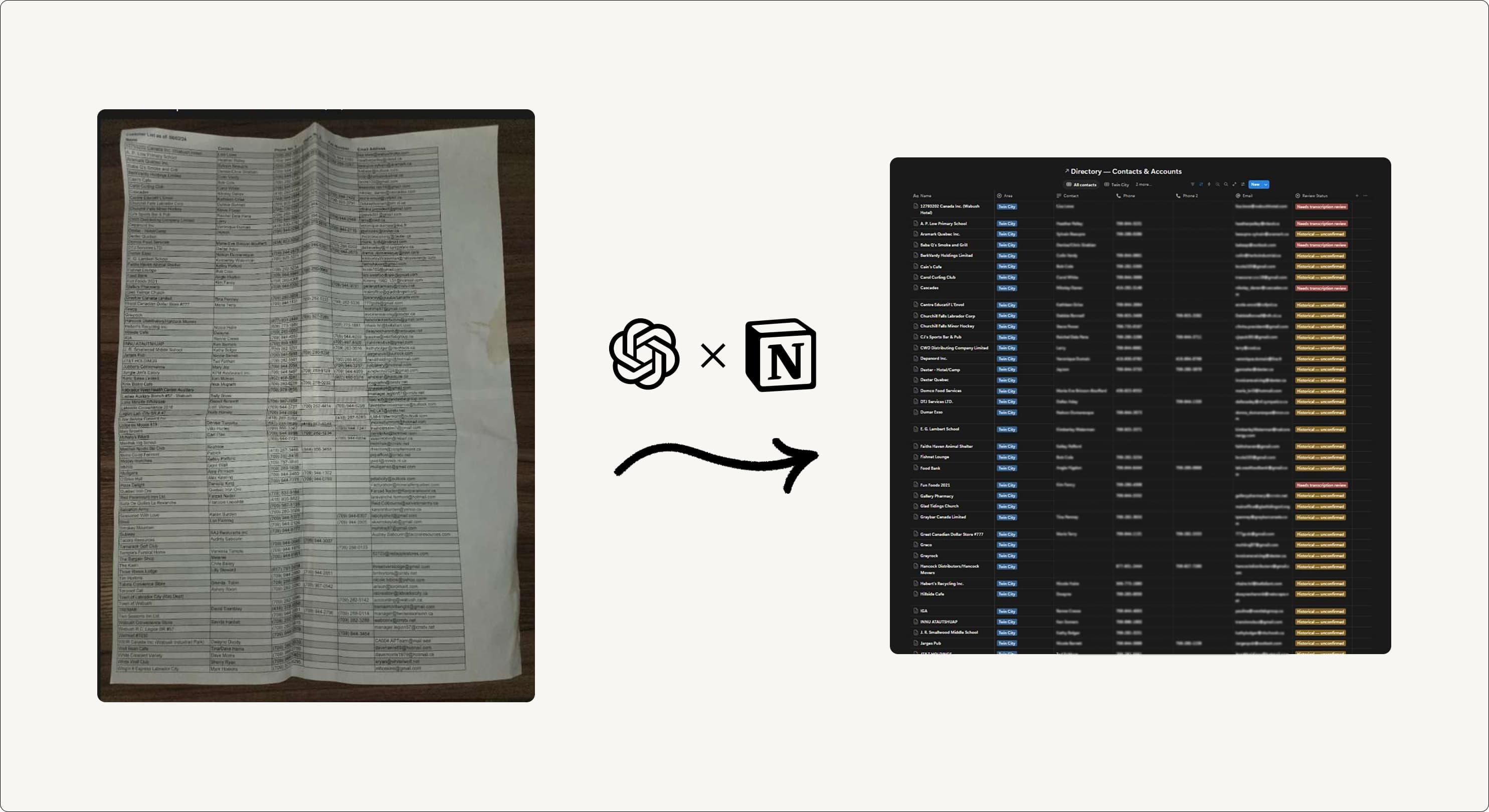
Building a client directory from a cell-phone picture
Before, the supplier and contact directory existed as a printed spreadsheet in a drawer. Aaron photographed it and gave the photo to ChatGPT, which built the whole thing in Notion. ChatGPT watches the inbox now, too, so supplier emails keep the directory current.
“Worth its weight in gold,” he says.
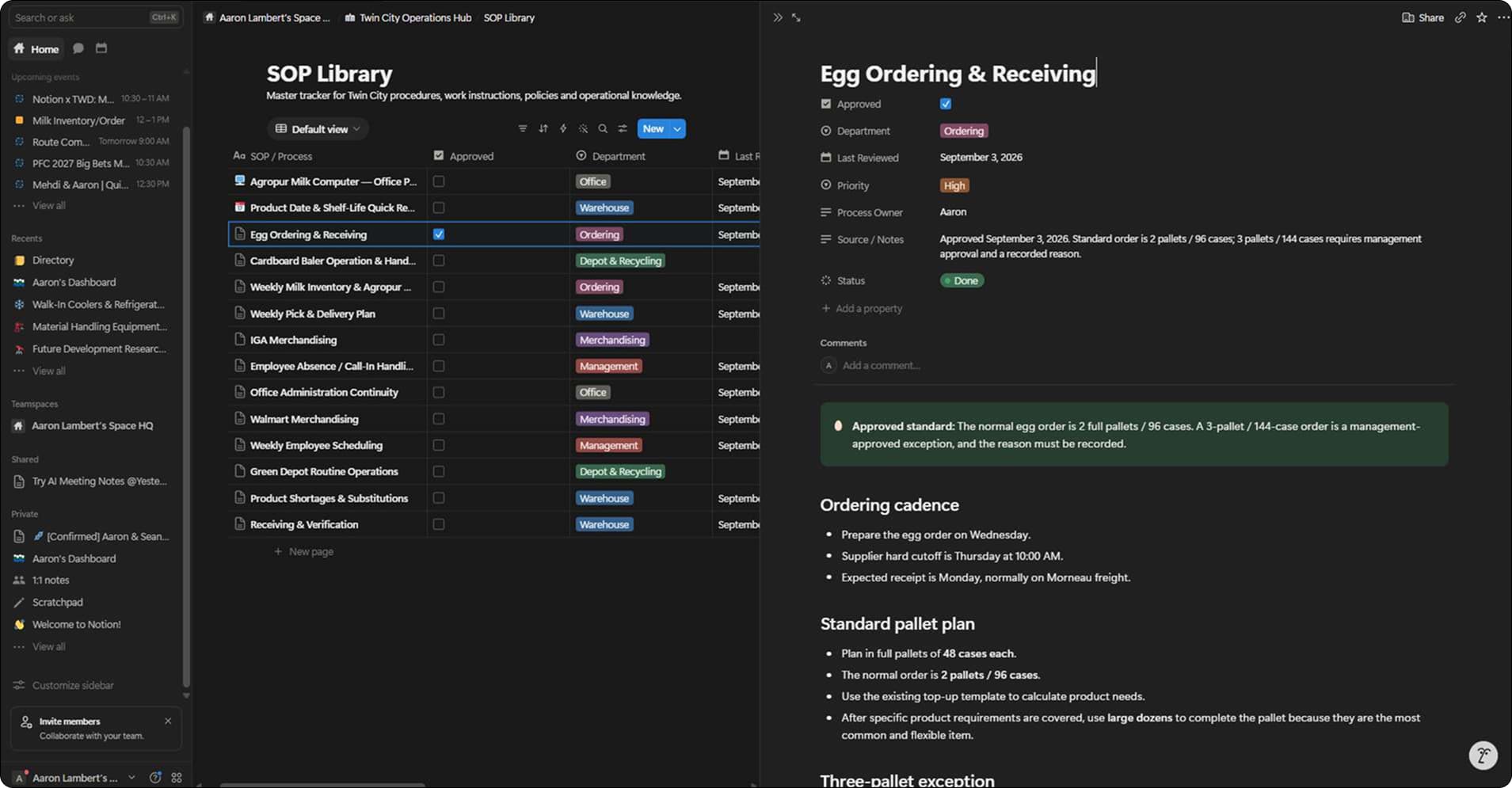
ChatGPT built the SOP database and Aaron fills it with voice notes
Aaron asked ChatGPT to build a database that could store the business’s standard operating procedures. He described the business to ChatGPT, connected the old Google Drive, and it produced the structure in Notion: the library, some initial drafts, and an improvement backlog. “ChatGPT did all of the infrastructure. I didn’t build it by hand,” he says.
To fill it up and keep it updated, he uses voice notes. He wears headphones most of the day, working on-site, and he narrates what is happening in the warehouse or on a delivery, voice to text. ChatGPT filters each note, files it into the SOP it belongs to, and edits the document that is already there instead of starting a new one.
He keeps about a dozen SOPs going at once, so one afternoon of talking can move several of them forward. “It’s just populating the SOPs and filling in and making changes as needed in Notion,” he says.
“I’m doing SOPs passively as I’m working,” he says. “I don’t have time to sit and write all this out, but I’m working on multiple documents at any given time.”
A dance studio used Claude to migrate hundreds of files into one workspace
Maryanne Mitchem is the director of operations at the Dance Academy of Virginia. Five years in, the academy has grown from one location to two, with seven studio rooms.
The growth is great. The admin work that came with it is not: While the artistic director supervises the dance instructors, Maryanne manages operations for 8 staff members, 44 instructors, and about 1,400 students and their parents.
The school ran on shared drives and Google Sheets. One spreadsheet had more than 40 tabs. Files were scattered, permissions were a mess, and finding anything meant knowing which Drive someone had put it in.
So, she set out to clean it up.
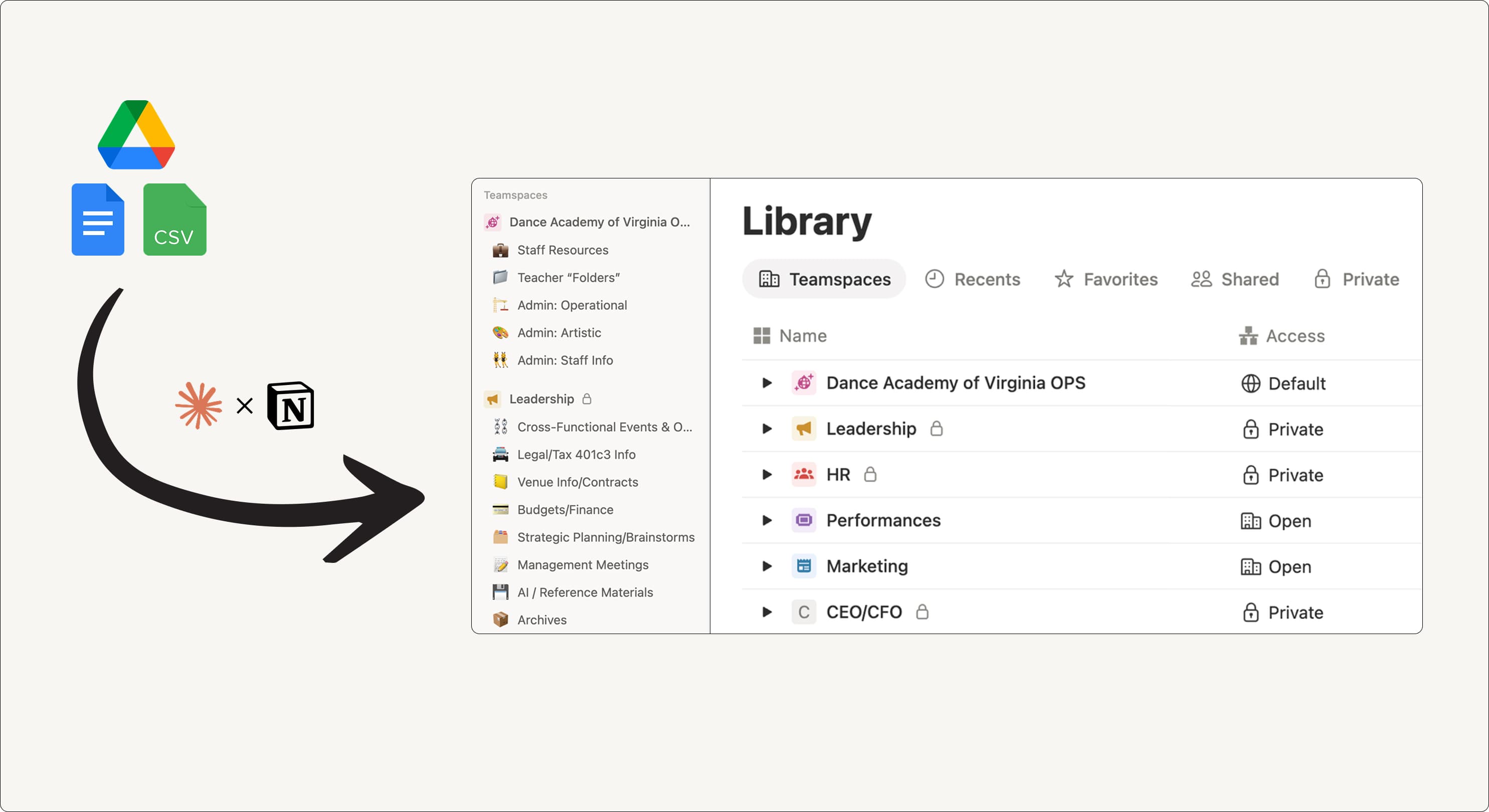
From a messy Drive to organized pages and permissions
Moving the whole business into Notion was no small task. But Claude made it much more manageable.
To start, Maryanne mapped the business functions, then had Claude audit every file stored in Google Drive and make a proposal where each document should live. She started with the least critical items, and reviewed them one-by-one, making tweaks and marking every reviewed page with an emoji as a quality signal.
It took two and a half weeks with Claude, against her estimate of six months.
What she has now is one connected workspace, permissions that make sense, and a team space for each part of the business. She has dedicated spaces to plan recital costumes or track donation requests, and other tools, like the studio’s absence-tracking software, are synced with Notion. There’s only one place she or her staff need to check.
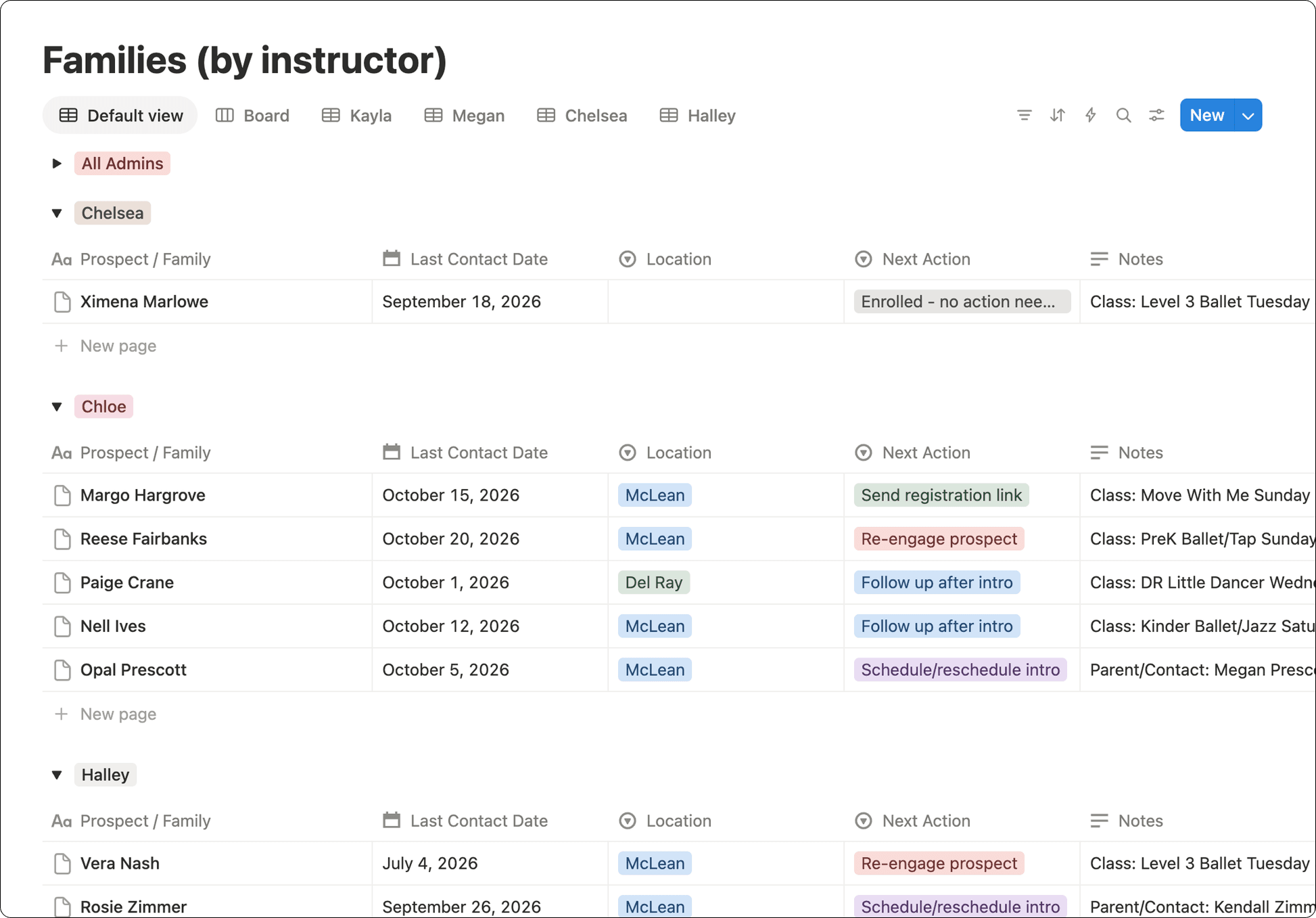
Here’s what one of the messy Google sheets looks like once it’s imported into Notion:
A writer whose agent does the blog ops, not the writing
Anna Burgess Yang is a solopreneur tech writer and operations consultant, running her own site and teaching other small operators how she works.
She has been writing online long enough to know her own voice, and long enough to know how much of the job is admin work that supports great writing.
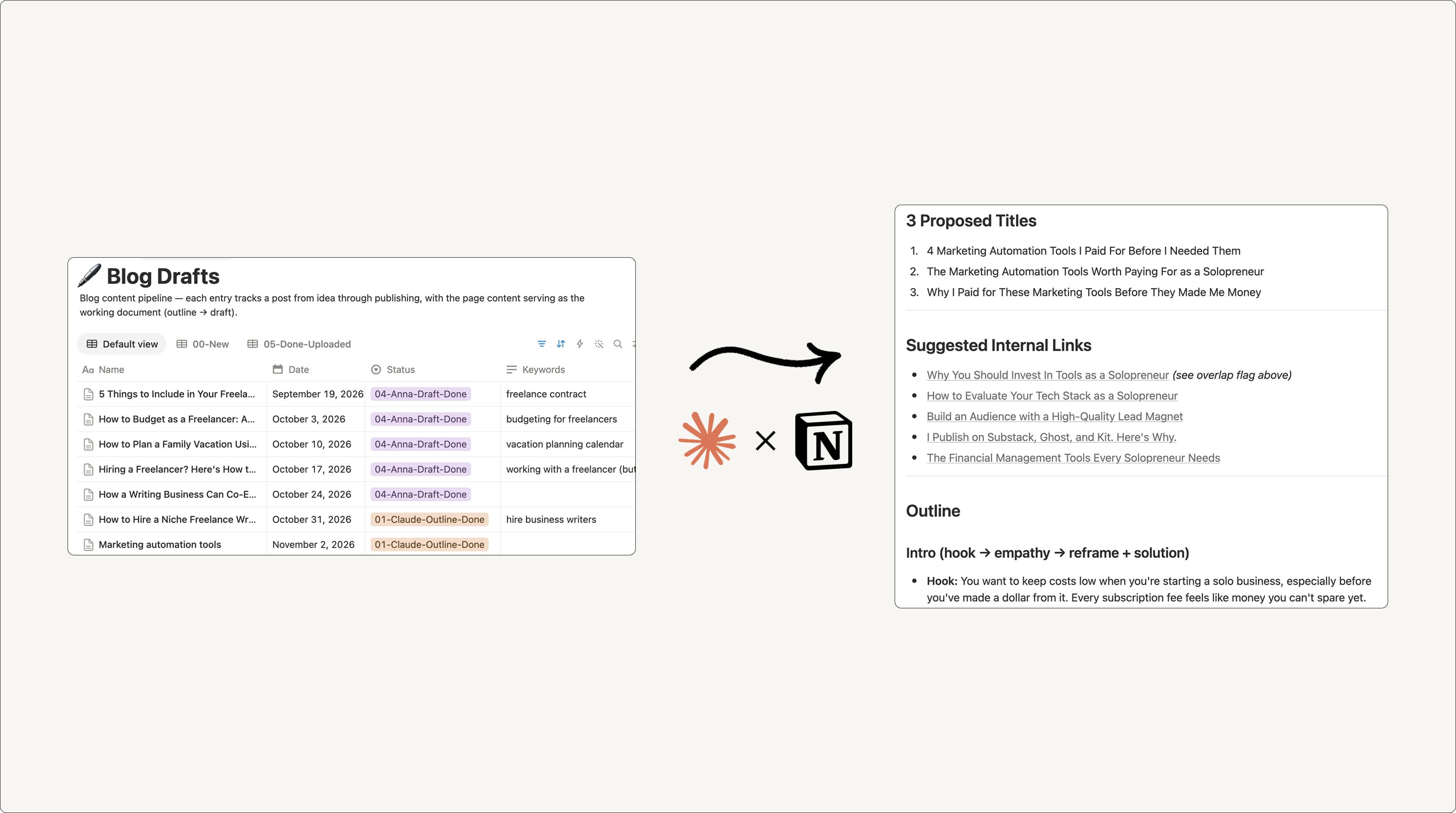
Her website’s content pipeline runs in Notion and Claude. She adds ideas into a Notion database, usually via voice note. When she is ready to develop that idea, she can change the status in Notion to “Ready for Claude.” This triggers Claude to read the reference files she stores in Notion: her voice and tone guide, writing examples, her audience guide, and an analysis of her own published sentences.
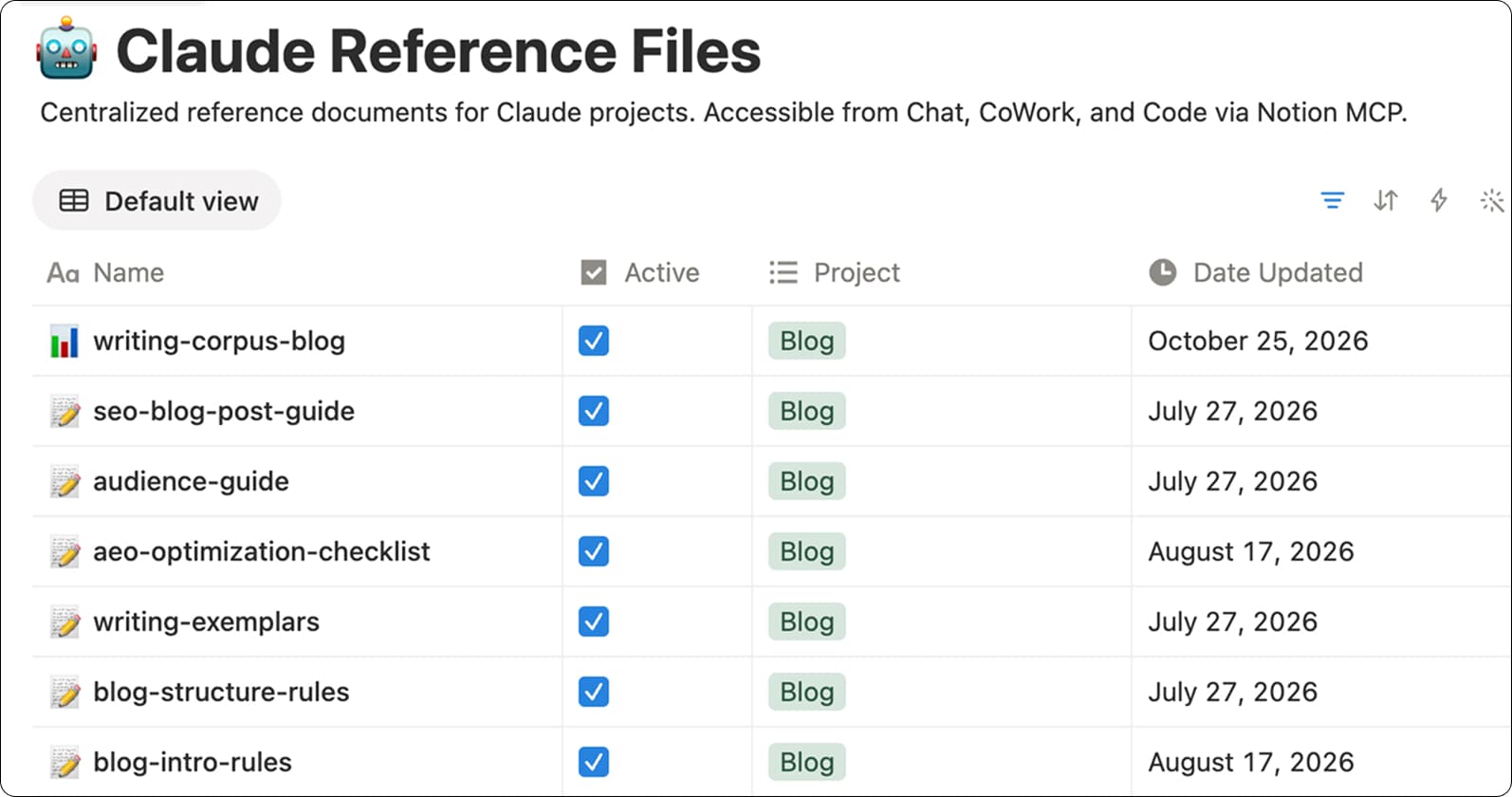
Claude prepares her to write, including research
Once Claude has her writing reference files on hand, it kicks off the research process by writing questions about the topic in a Notion doc. Anna answers them, usually by dictating into Notion, drawing on her own expertise and making sure the article comes from her own unique perspective.
Claude takes those answers and performs additional research, then returns three proposed titles, an outline, and suggested internal links, all of which she reviews and edits herself.
Once the outline is in good shape, Anna can pull in quotes and insights from external content (articles, podcasts, books) she’s curated using Readwise. Readwise is a browser extension that lets her save content from around the internet in just a click, and because it integrates with Notion, it lands, categorized, in a Notion database.
Then, she built a Skill, or a page of instructions, hosted in Notion for any agent to use. In this case, the Skill looks at her outline and mines the content from Readwise against her outline, pulling back quotes with a note on why each one fits. It links the ones she has already used so it stops reaching for the same sources twice. It is the one Skill she still runs by hand, because deciding what is worth quoting is judgment, not assembly.
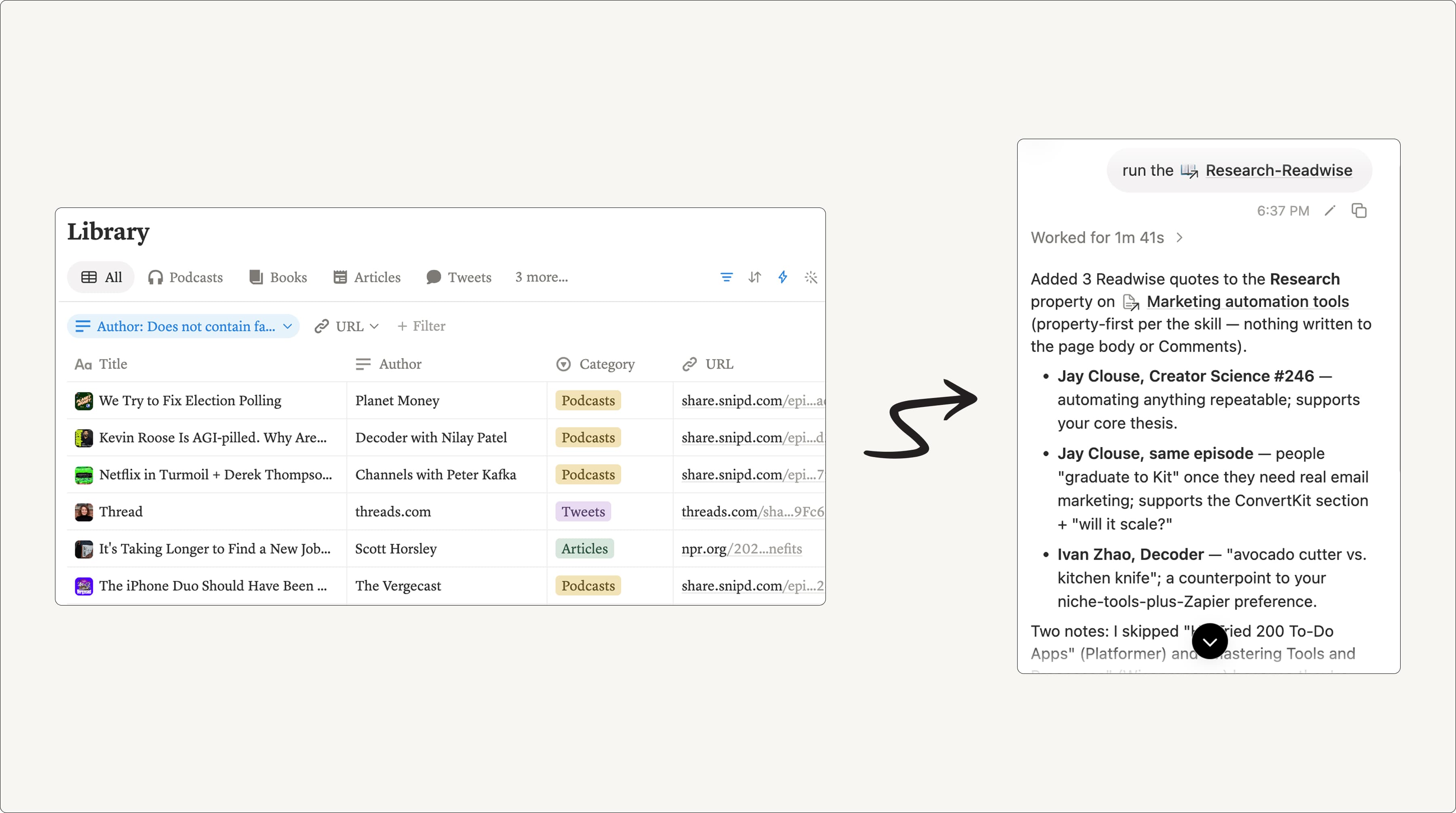
What she still does herself
One agent uses that research to flesh out an outline, drawing on Anna’s voice principles and past article structures. A second agent edits it without seeing the first one’s reasoning.
Anna then takes the ideas and turns them into a final draft for her audience. Think of Anna as the head chef and AI as her sous-chef: it studies her recipes and prepares the ingredients, leaving her free to focus on the parts of the process that matter most.
Once a week, the system compares her finished version against Claude’s rough draft and records what changed. When the same pattern shows up three times, Claude suggests updating those core reference files to include the new rule. That loop is what makes this workflow self-improving.
A digital out-of-home media company that’s standardizing how its team builds with agents
Nitin Lal spent 11 years as a senior motion-graphics designer at Elevision, a digital out-of-home advertising company with about 50 employees across Dubai and London, supporting 3,000 screens across the UAE and London. Six months ago he moved into a newly created role: AI Implementation Lead.
His first assignment, as part of the company’s larger AI fluency program, was 90 days to learn the AI landscape and come back with a plan. When he audited Elevision’s setup, he found the usual spread: files in Dropbox, Google Drive, and SharePoint, projects in monday.com, and no single place to look.
In his own research and building, he was using Claude for about 90% of the heavy lifting, but the output was trapped in chat histories nobody could find, comment on, or reuse.
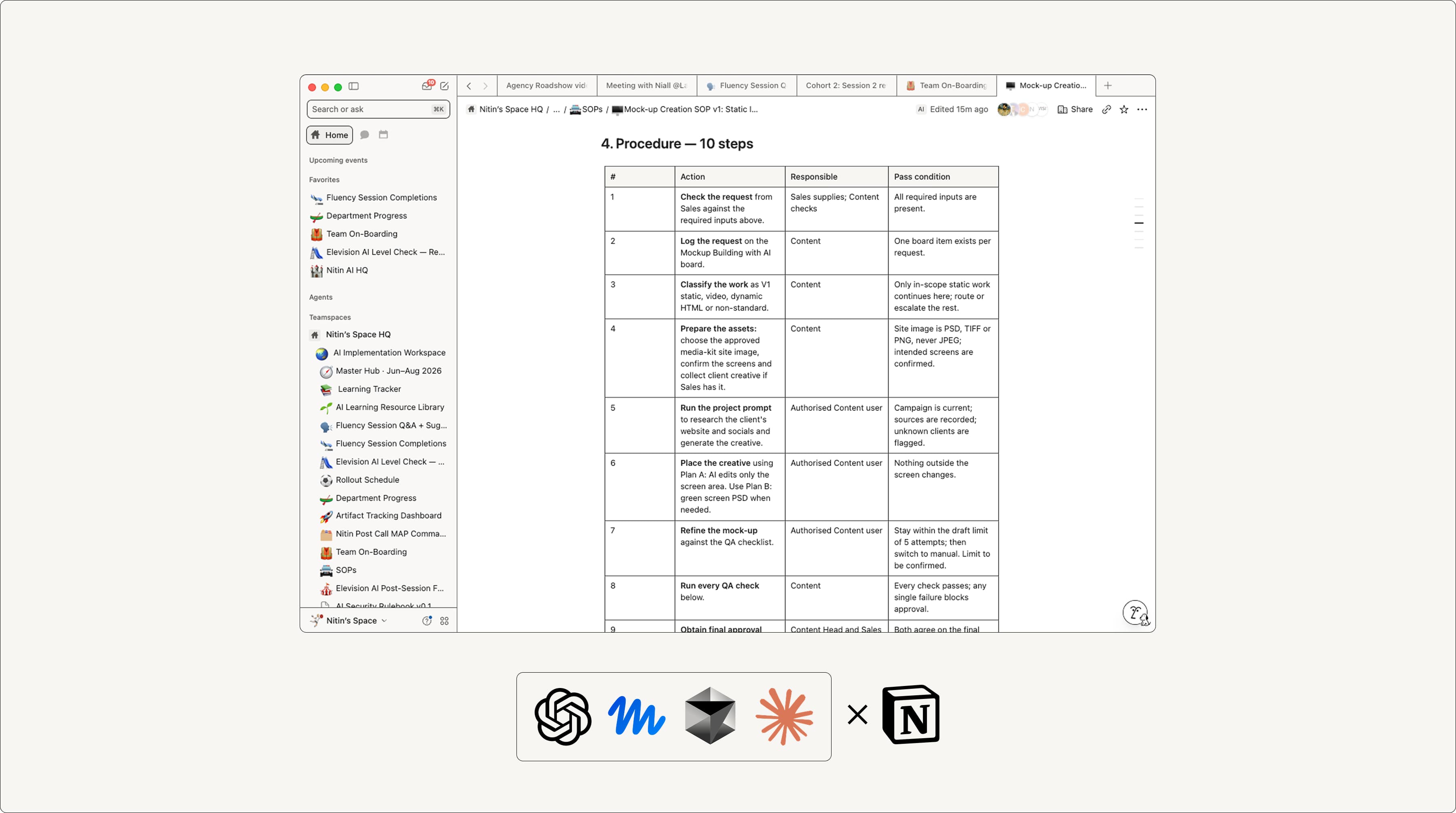
So, he’s building a shared Elevision agent library. It’s designed so that can build a workflow in whatever agent they prefer, like Claude, ChatGPT, or Gemini, then use the Notion MCP to create a standard “Agent SOP” in Notion: a document that describes the workflow’s purpose, tools, inputs, procedures, version history, owner, department, and time saved.
SOPs is versioned and can change hands when someone modifies the workflow. For the first time he can see every workflow in the company in one view, which is also the only way to start measuring what any of it saves.
Building an agentic workflow and adding it to the library is also designed to be part of the capstone project of Elevision’s AI implementation program. That means the company can assemble a shared record of agentic workflows that any team member can feed to their agent of choice while retaining the context and guidance needed for those agents to produce great outputs.
Apollo.io connects a product leader’s work in Claude Code with his engineering team
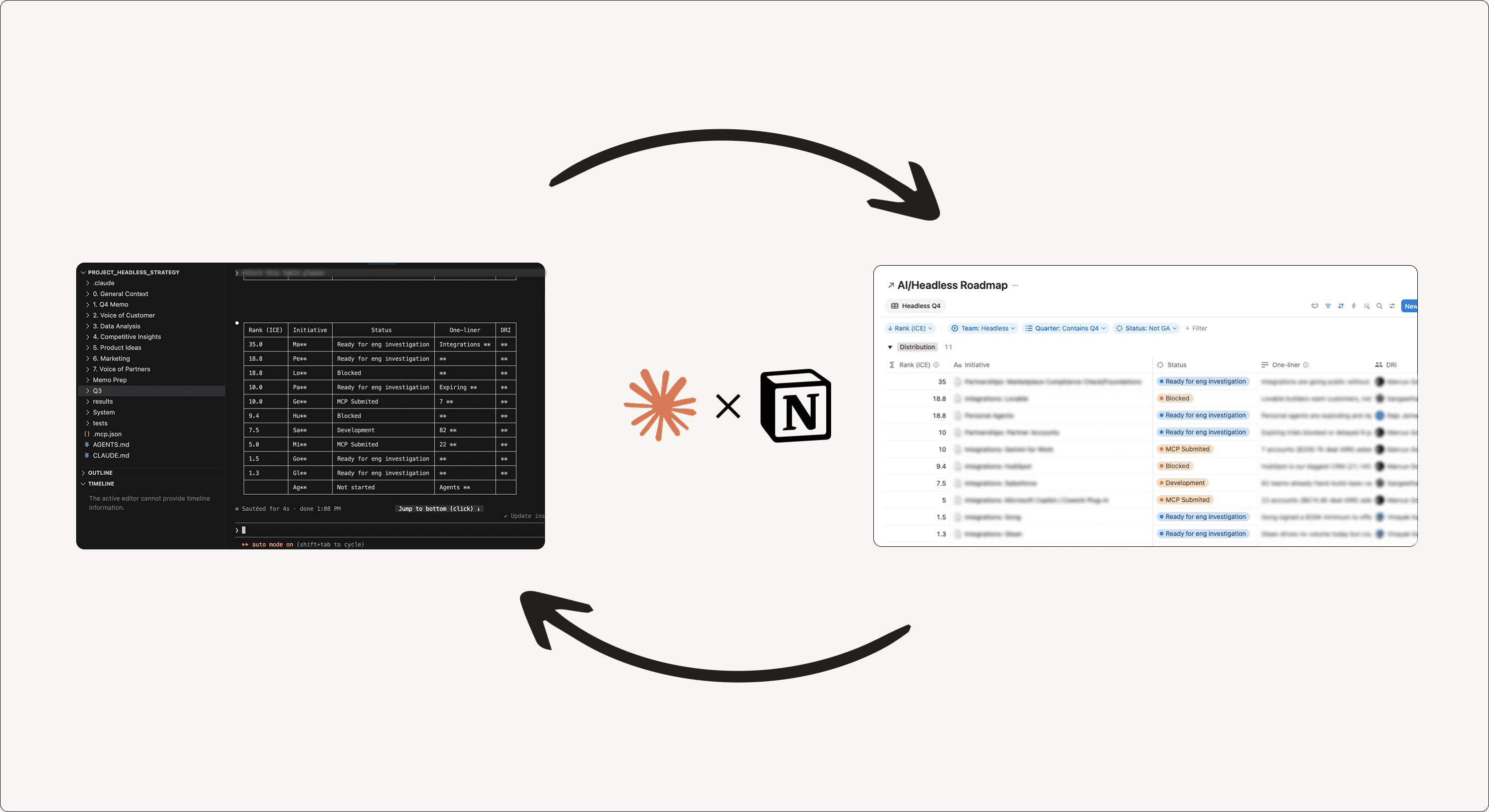
Tyler Phillips is a Director of AI Product at Apollo.io, a sales intelligence and engagement platform. He leads AI and headless teams that include around 30 engineers who plan and track their work in Notion.
Tyler prefers to work in Claude Code, where he already has other tools and tasks at hand. With Notion MCP, he can pull in the context he needs and update the team’s workspace without switching windows for every change.
Working in Claude Code, collaborating in Notion
When Tyler starts on a product-strategy or requirements document, Claude Code can pull relevant information from Notion alongside the local files he’s chosen for that workstream. He works through decisions and plans with Claude, then pushes the PRD, requirements, or roadmap updates back into Notion.
“I’ll push anything I work on in Claude Code into Notion,” he says. “That way there’s a more permanent record and I can share it with others on my team.” His engineers can find that work alongside their projects in Notion, discuss it in comments, and keep work moving in the workspace they already use.
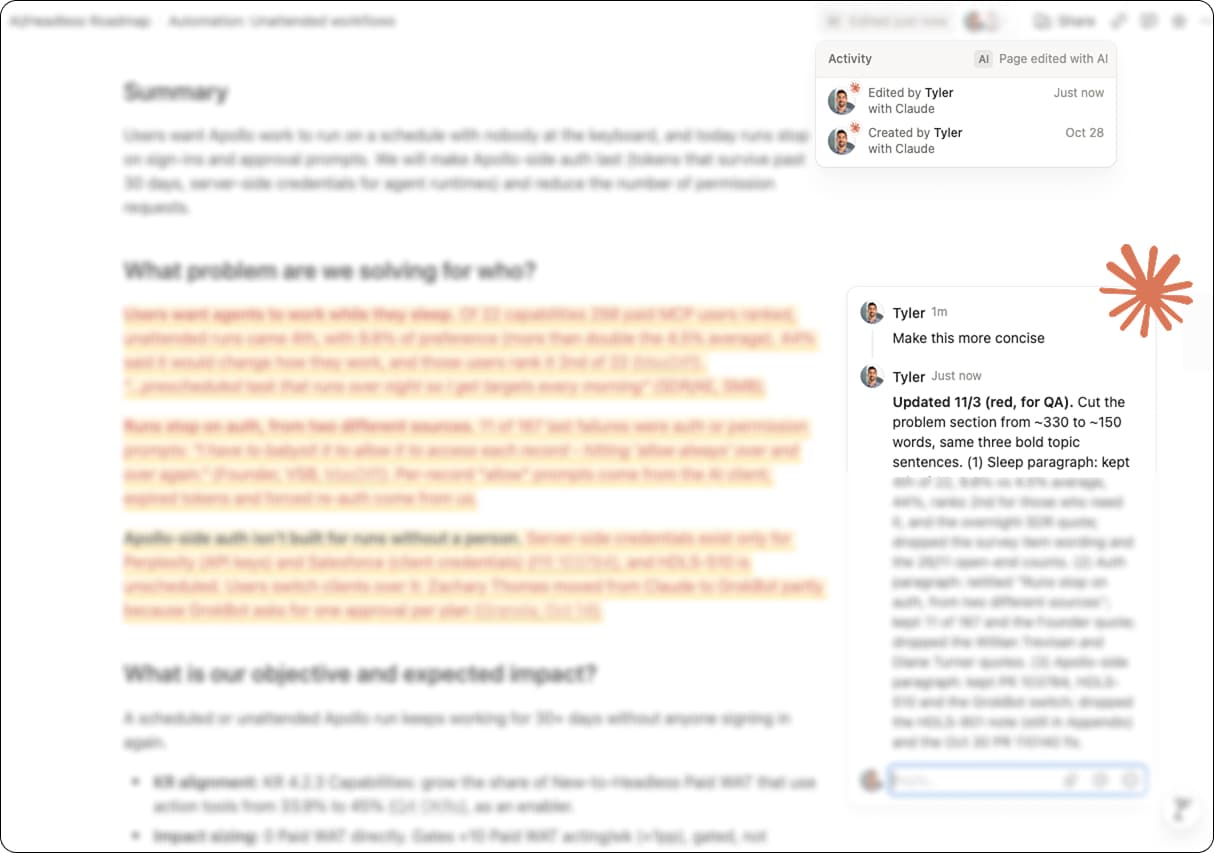
The connection works in the other direction, too. If an engineer leaves a comment on a PRD, Tyler can pull it into Claude Code, work through the question with Claude, and update the shared page, all without opening Notion to check the discussion.
Tyler gets to work with his agent in Claude Code; his engineers get the plans and conversations in Notion, without ever knowing which tool Tyler is using. “Notion MCP has been like a godsend,” he says.
The lesson: Connect your agents to a context layer
You’ve probably heard the expression, “To run fast, go alone. To run far, go together.”
The lesson here, as it applies to AI agents, is similar: to run fast, use an agent. To run far, connect your agent to a context layer.
To get started, you can follow our guide on connecting Notion to Claude, ChatGPT, or whichever agent you use. You'll quickly see the power of giving agents a place to store outputs and define all of your business knowledge—which then feeds back to the agent for even better results the more you use it.